USAID DEC
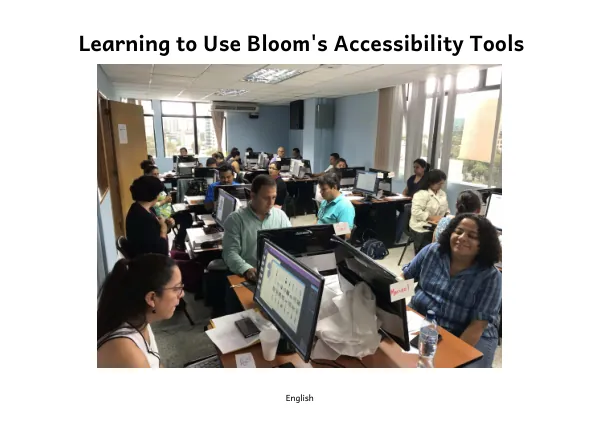
Learning to Use Bloom's Accessibility Tools
Bloom Enterprise is a paid service offered by SIL LEAD, which adds additional features and services to the free software Bloom from SIL International.
2019 · 44 pages
Sign in to readA free account is required to download.
Abstract
This service is designed to meet the unique needs of international organizations, supporting the development and user support of Bloom. The materials in this manual assume that the user already has a subscription to Bloom Enterprise. To activate the Bloom Enterprise subscription, users must go to the Collection Settings and select the Enterprise button. They must then type or paste in their Subscription Code. After making this change, Bloom will need to restart, and the features that were previously locked will become available. Accessible books are electronic books that have features to make their content more readily accessible to people with visual disabilities. These features include audio recording of the text, descriptions of images, and text size that can be changed by the person reading the book. Bloom can help users create books with these features and that meet technical accessibility standards. To create accessible books in Bloom, users must first gain access to the accessible book tools. This can be done by clicking on the Settings icon in the Collections tab and opening the Advanced Program Settings. Users must then click on the Show Experimental Features button and restart Bloom. Once the tools are activated, users can create image descriptions, record audio of the text, and evaluate whether images need adjustment for visual impairment. The Image Description Tool and the Impairment Visualizer are two tools that can be used to create accessible books. The Image Description Tool allows users to add descriptions to images, while the Impairment Visualizer helps users evaluate whether images need adjustment for visual impairment. These tools can be used by all users, regardless of whether they have a Bloom Enterprise subscription. In this training module, users will learn how to create accessible books in Bloom, including how to gain access to the accessible book tools, create image descriptions, record audio of the text, and evaluate whether images need adjustment for visual impairment. By following the steps outlined in this manual, users can create books that are more accessible to people with visual disabilities.
Related documents